You paste a graphic into a slide deck and it drags a giant white box along with it. It completely covers up your background text. Or you try to email a batch of vacation photos to your family and your app flat out refuses to send the message because the attachments are way too heavy.
I genuinely hate downloading a supposedly transparent icon only to find a fake gray and white checkerboard pattern permanently burned into the image because someone picked the wrong dropdown option, urghh! So here’s what you need to know about PNG and JPEG image file formats.
What is PNG and How Does It Work?
Developers built the Portable Network Graphics format back in the mid 90s for a pretty specific reason. The company that owned the patent for the older GIF format suddenly started threatening to charge royalties. The internet obviously hated that idea.
So Thomas Boutell got a bunch of software engineers together to build a free alternative that handled raster graphics much better. Raster graphics are basically images built out of a massive grid of colored squares.
You zoom all the way into a digital picture and you eventually see those tiny pixel blocks. PNG files preserve image data exactly as it is when saved, without introducing compression loss.
What is Lossless Compression?
In Lossless Compression, the software never throws your visual data away. It finds a mathematically efficient way to store the exact same grid of pixels without deleting anything.
Imagine a digital drawing of a solid black square. Instead of writing down the color of ten thousand individual black pixels, the lossless algorithm simply writes a tiny piece of code saying to paint that entire specific coordinate range black.
You keep the original quality perfectly intact while the file size drops slightly. You open it up later and your computer rebuilds the picture flawlessly.
A crisp line stays completely sharp since no pixels get averaged out or discarded. A block of solid color remains uniform. The obvious downside with this perfection is the file size.
I see people trying to paste a 14MB PNG hero image into a basic PowerPoint presentation or a Word document. And they wonder why the entire Microsoft Office suite suddenly lags and crashes. It is just too heavy for everyday document sharing.
What is JPEG and How Does It Work?
The Joint Photographic Experts Group released this format in 1992 specifically to handle early digital cameras. Storage drives back then were incredibly small and expensive.
People needed a way to store complex photographs containing millions of colors without filling up a hard drive after taking three pictures.
What is Lossy Compression?
In Lossy Compression, JPEG deletes image data. The algorithm looks at the subtle color variations in a photograph that your eyes will not catch. It discards them completely.
Your camera captures 50 different shades of blue in a single picture of the sky. The JPEG algorithm decides you will not notice if it reduces that section to just 5 shades of blue.
It averages out adjacent pixels and throws the original data in the trash. You can take a massive raw camera file and crush it down to a fraction of an MB this way.
What are Compression Artifacts?
Take a screenshot of a text message on your phone and save it as a JPEG. You will probably see messy jagged halos hovering around the edges of the black letters.
The lossy algorithm struggles heavily when it hits sharp contrasting edges. It tries to blend a solid black letter into a solid white background to save space. It fails and creates a blurry gray smudge instead.
Designers usually call this mosquito noise. It makes text look terrible and unprofessional.
What are the Key Differences Between PNG vs JPEG?
I will lay out how they behave side by side so you can stop guessing.
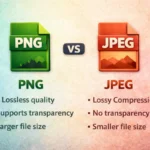
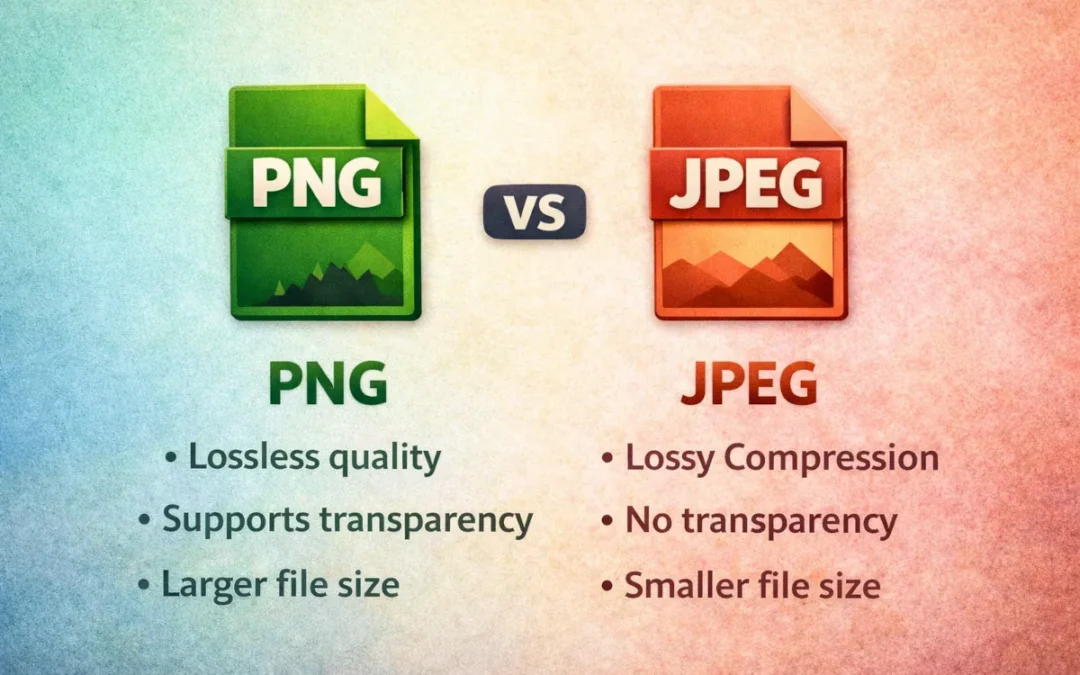
| Feature | PNG | JPEG |
|---|---|---|
| Compression | Lossless | Lossy |
| File Size | Usually larger | Usually smaller |
| Transparency | Yes (Alpha channel) | No (Does not support transparency) |
| Best For | Logos and text | Photos |
Which Format has Better Image Quality: PNG vs JPEG?
Neither format is universally better in every situation. PNG retains full detail so it always looks exactly like the original source file. JPEG loses detail based on your specific export settings.
If you push the quality slider to maximum in Photoshop, a JPEG photo looks basically identical to a PNG version. You only see the visual difference if you zoom way in on the edges of objects.
Mathematical quality and perceived visual quality are two very different things.
Which Format has a Smaller File Size: PNG vs JPEG?
JPEG handles photos efficiently so it produces smaller files in those scenarios. PNG files are heavy by default. Saving a landscape photograph as a PNG creates an unmanageable file for web use or email attachments.
You can force a JPEG to be tiny if you dial up the compression slider. For a 1920*1080 photo at a typical web quality, a JPEG file is usually around 250 KB but the same photo saved as a PNG can be about 2.5 MB, roughly 10 times larger.
You just have to accept that blocky artifacts will eventually ruin the picture if you push it too far.
When Should You Use PNG?
Save this heavy format for times when you absolutely need visual precision.
1. Logos
Corporate branding needs crisp edges. A hazy pixelated halo around a company logo looks cheap. If you send a JPEG logo to a commercial printer as a highly compressed file, it will look damn awful on the final product.
2. Text heavy Images
Reading heavily compressed JPEG text gives me a headache. If your image has embedded text like an infographic or a scanned document, you kind of have to use a lossless format. The letters stay sharp and readable.
3. Graphics and Illustrations
Digital drawings with flat colors and hard boundary lines fall apart when compressed. The algorithm tries to blend the flat colors together and ruins the clean aesthetic of the artwork.
When Should You Use JPEG?
This is what you will use for most of your personal media library and everyday sharing.
1. Photographs
Real life scenes have millions of messy color gradients. A 4K PNG image can have over 8 million pixels, each preserved in lossless compression. Shadows blend into midtones. The lossy algorithm handles those smooth shifts fine because your eyes naturally blend the colors anyway.
2. Web Images
Hero banners on websites need to load fast. You can compress these massive assets pretty heavily before anyone notices the drop in quality on a laptop screen.
3. Large Galleries
If you run a photography portfolio displaying twenty images on a single page, lossy files keep the visitor’s browser from freezing up.
PNG vs JPEG for Websites: Which is Better for SEO?
Google cares a ton about how fast your pages render. Image optimization plays a huge role in technical SEO if you run a blog or an online store.
Page Speed Impact
According to a study by HTTP Archive, images usually make up more than half of a page’s total weight. Heavy pages rank poorly in search results.
Core Web Vitals
Google tracks a specific metric called Largest Contentful Paint to see how long the biggest visual element on your screen takes to load. A 4MB PNG hero image fails that assessment instantly.
Swapping it out for a well optimized 200KB JPEG usually fixes the performance problem. Uploading giant lossless files to Shopify or WordPress is a noob mistake.
User Experience
Visitors leave if they have to stare at a blank white screen waiting for a graphic to slowly load from the top down. Google explicitly recommends to optimize your images for quick loading since they can make it expensive to load your page.
PNG vs JPEG for Editing and Design
Working with design software changes how you handle these files.
Repeated Editing
You get hit with a brutal re-saving penalty every time you edit and save a lossy file. You open a photo to tweak the brightness and save it. The software compresses the previous compression.
You open it tomorrow to crop it. It gets compressed a third time. The pixels bleed together. The image degrades permanently. Lossless files do not face this problem at all. You can save them a thousand times without losing a single pixel of quality.
Transparency Needs
JPEGs do not support an alpha channel. That specific data channel tells the computer to make certain pixels invisible. If you download a transparent graphic as a lossy file, the software panics.
It quickly fills the empty space with solid white pixels. This is super annoying when you are trying to layer images in a presentation or put a logo over a colored background on a website.
Are WebP and AVIF Better Alternatives to PNG and JPEG?
We actually have better solutions now. Formats like WebP and AVIF offer extremely aggressive lossy compression that creates files even smaller than traditional JPEGs.
They also fully support alpha channel transparency. You get a tiny file size with a transparent background. Most web browsers support them today. I default to WebP whenever a content management system actually allows the upload.
So Which One Should You Use?
Simple rule: photos go JPEG, everything else that needs a transparent background or sharp edges goes PNG. If you’re building for the web and your CMS supports it, use WebP instead of both.
Frequently Asked Questions
Is PNG better than JPEG?
PNG works better for sharp graphics and transparency. It is terrible for photographs because of the humongous file sizes it creates.
Why are PNG files larger?
PNG uses lossless compression to store exact mathematical data for every single pixel in the grid without throwing anything away.
Is JPEG good for websites?
Yes. JPEG is better than PNG for large photographs because the small file sizes keep your pages loading fast.
When should I use PNG instead of JPEG?
Use PNG for logos, icons, line drawings, and graphics containing important readable text.
Does image format affect SEO?
Yes. Heavy files slow down rendering speeds and Google considers page performance and user experience as ranking factors, so slower websites may perform worse in search results.
Can JPEG have transparency?
No. JPEG completely lacks an alpha channel and fills any empty transparent space with a solid color instead.
Does converting JPEG to PNG improve quality?
No. You cannot recover visual data that the lossy algorithm has already deleted. You just get a much larger file of the exact same blurry image.
What are the disadvantages of PNG?
The massive PNG file sizes eat up server storage and ruin website loading speeds if you use them incorrectly for photographs.