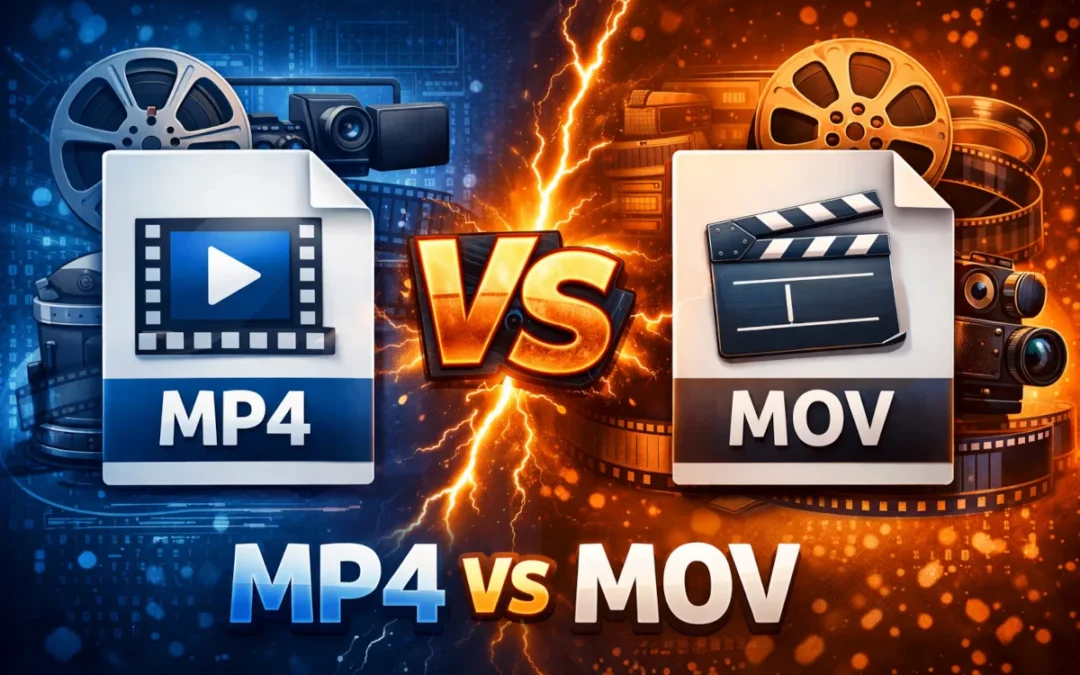
MP4 and MOV files look almost identical from the outside. Same video, same extension logic, but totally different behavior the moment you try to edit or share them.
A MOV file that scrubs perfectly in Premiere will be unnecessarily massive when a client tries to open it on Windows. An MP4 that uploads instantly to YouTube loses quality fast if you try to re-edit it.
The difference comes down to what each format was designed for. This guide breaks it down so you can stop guessing which one to use.
What is MP4?
MP4 is an international standard structure built by the ISO back in 2001. MP4 is commonly used with highly compressed codecs like H.264. That keeps the files incredibly small. It is widely supported across nearly every piece of hardware you can buy today. You almost never have to worry about compatibility.
What is MOV?
Apple built the MOV architecture for their QuickTime ecosystem. It prioritizes professional editing environments. It thrives when you stay entirely inside a Mac workflow and have access to fast storage drives. It is widely used in professional workflows, especially with editing-friendly codecs like ProRes.
Are MP4 and MOV Actually Different Formats?
People argue about this constantly on video editing forums. It drives me crazy. Neither of these are actual video formats. Comparing MP4 to MOV is exactly like comparing a cardboard box to a plastic bin. Both of them are container formats.
What is a Container Format?
MP4 and MOV are both strictly container formats. A container holds your visual track, your audio, subtitles, and metadata in one organized directory file. Think of it as a structural wrapper holding different types of media together.
What is a Codec?
Codecs like H.264 or ProRes handle the complex math of compression and decompression. A high quality codec can easily sit inside either digital wrapper.
The container itself does not dictate how crisp the footage looks on your monitor.
What are the Key Differences between MP4 and MOV?
If you know how these digital wrappers behave, it will save you a massive amount of rendering time later. It prevents you from exporting a two hour video only to realize nobody can watch it.
| Feature | MP4 | MOV |
|---|---|---|
| Developer | ISO (International Standard) | Apple |
| File Size | Typically smaller (due to common codec usage) | Often larger (when used with high-bitrate codecs) |
| Video Quality | Depends on codec and bitrate | Depends on codec and bitrate |
| Compatibility | Universal (Windows, Mac, Android, Web) | Best on Mac/iOS (Requires third party players on Windows) |
| Best Use Case | Streaming, sharing, and social media | Professional video editing and archiving |
File Size Differences
MP4 is typically used with highly compressed codecs, which keeps file sizes low. MOV is often used with high-bitrate or low-compression codecs, which results in larger files. That can make the files absolutely enormous.
You will fill up a portable hard drive in a weekend if you are not careful. A 1 minute 4K clip in ProRes 422 (MOV) typically takes up about 4GB of space.
The same clip encoded with a compressed codec like H.264 at 35-45 Mbps (YouTube’s recommended 4K bitrate) would only be about 250MB – 300MB.
Compression Efficiency
One architecture is built to deliver footage over a slow internet connection quickly. The other is built to retain heavy visual data so professional editors have more pixels to manipulate later in post production.
Compatibility
You can play an MP4 on a cheap Windows laptop, a five year old Android phone, or a random smart TV. Try playing a high bitrate MOV on a native Windows media player. It usually throws a frustrating error code or plays the audio while displaying a completely black screen.
Editing Performance
Editing software like Premiere Pro absolutely loves MOV files. They natively support editing codecs like ProRes. Those specific codecs run incredibly smoothly when you aggressively scrub through a timeline.
Your computer hardware does not have to work nearly as hard to decode the footage during live playback. You skip fewer frames. MP4 with H.264 wasn’t built for scrubbing through raw timelines. It’s a delivery format first.
Which Has Better Quality: MP4 or MOV?
Quality depends on your chosen codec and the exact bitrate you dial in before hitting export. MOV often uses far less aggressive compression by default.
People mistakenly assume it always looks better straight out of a camera. You can make an MP4 look exactly the same if you manually match the export settings.
Why Are MOV Files Usually Larger?
A one minute clip can easily take up a full gigabyte of space. It stores uncompressed audio streams and heavy structural metadata. It also supports complex video features like alpha channels for transparent backgrounds. With less compression, MOV can preserve more visual detail but destroys your local hard drive capacity.
When Should You Use MP4?
I use MP4 output whenever the video needs to leave my local computer.
1. Uploading to YouTube
Their backend servers process this exact container much faster than anything else you can upload. You spend less time waiting for the standard definition version to finish processing.
2. Social Media & Sharing online
If you send a clip to a client or upload a quick daily draft to Slack, you need them to actually be able to open it on their phone. Slack has file size limits. A heavy Apple MOV file will get rejected immediately.
3. Streaming & Web use
Web browsers load this format efficiently without buffering. It works perfectly for auto playing background videos on a landing page without slowing down your site speed.
When Should You Use MOV?
Keep your project files in this heavy format while you are still working on the creative side.
1. Professional Video Editing
The massive amount of extra data gives you total control over recovering shadows and tweaking highlights when color grading. Heavily compressed files fall apart and show ugly banding when you push the colors too far.
2. Apple Ecosystem Workflows
If you edit exclusively in Final Cut Pro and only share files with other Mac users, you never really need to change formats. Apple hardware handles it flawlessly natively.
3. High Quality Master Files
I always render a pristine master copy of a finished client project to keep in my cold storage archives. You want the highest fidelity possible for long term storage.
MP4 vs MOV for YouTube, Instagram, and Social Media
Most social platforms technically accept both formats now. The automated algorithms strongly prefer MP4 because it uploads fast and saves them expensive server space.
If you upload a massive uncompressed file to Instagram, their system will aggressively crush it automatically. The final post usually looks awful.
YouTube explicitly recommends the MP4 format with the H.264 codec. Compress the file yourself before uploading to control exactly how the final image looks.
Does Converting Affect Video Quality?
Converting is just transcoding. You take compressed data and compress it a second time. You will lose some data in the process. How much data you actually lose varies with each codec and your specific export settings. A sloppy conversion looks terrible. A careful one with a high bitrate is visually lossless.
How Can You Convert MOV to MP4 Without Losing Quality?
Most converters support “copy” mode which does not re-encode the video. This however only works if the codec inside the MOV is compatible with MP4. If your MOV file contains ProRes, DNxHD / DNxHR, CineForm, Photo-JPEG (in MOV context),etc, using copy mode won’t work.
If copy mode isn’t possible, use a quality-based setting like CRF. Start with CRF 18 for near-lossless quality, and increase slightly if you need smaller file sizes.
Final Verdict: Which One Should You Choose between MP4 vs MOV?
The decision process is pretty simple. Choose MOV if you are actively editing or saving a master archive file. Choose MP4 if you are sharing or uploading the video online.
Remembering this basic workflow saves you hours of frustrating rendering time and you avoid fighting with your computer hardware every time a client asks for a revision.
Frequently Asked Questions
Is MP4 better than MOV?
It works far better for broad compatibility and online sharing across different devices. MOV is better for professional editing workflows on Apple hardware.
Is .MOV high quality?
Not inherently. Video quality relies entirely on the codec and bitrate used inside the container.
Why is MOV file size bigger than MP4?
It is often used with less compressed codecs, which increases file size.
Should I convert MOV to MP4?
Yes if you need a smaller file size or better playback compatibility with corporate Windows devices.
Which format is best for YouTube?
An MP4 container paired with the H.264 video codec is the recommended standard for fast uploads.
Is MP4 or MOV better for Instagram reels?
MP4 is much better. It uploads faster and avoids triggering the brutal automatic compression algorithms on the platform.
Is MOV good for 4K?
Yes. It easily handles the massive data rates required for crisp 4K footage.
What are the disadvantages of MOV?
The file sizes on MOV are HUGE and playback on older non Apple hardware is usually terrible.